Create a risk analysis
In Risk management, click New risk analysis, fill in the analysis information, select a matrix and click Save. A title and a selected matrix are necessary to save. The saved analysis opens on its risk-element page.
Before you start
Section titled “Before you start”- Risk management appears in the left menu only if your company has the module and you have at least the Read right on its row. If you don’t see it, contact your user administrator. See The top bar and the left menu.
- You need the Create right on the Risk management row. Your user administrator grants it; see Give a user access rights.
- Know what the analysis covers and which of your company’s matrices it should use. The matrix supplies the risk types and the probability and consequence scales for the analysis. Matrices are maintained on the Admin tab; see Set up risk matrices.
-
Open Risk management and select Index.
-
Click New risk analysis.
-
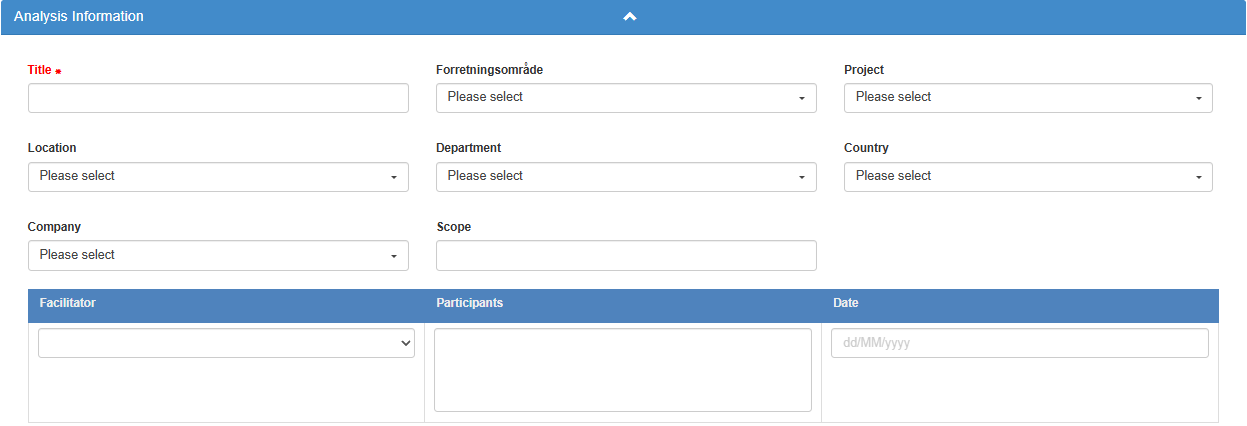
Under Analysis Information, enter a Title that identifies the analysis.
-
Choose the global-field values that apply to the analysis. These lists are your company’s own setup, each can allow several selected values, and none of them is required.
-
Describe what the analysis covers in Scope.
-
Select one user as Facilitator, enter the participants in Participants, and set Date. Participants is a text field: write the names or other participant information there rather than choosing users from a list.
-
Under Matrix, check the selected matrix. If your company has a matrix with Default matrix switched on, it is preselected; otherwise choose one in Select Matrix. You cannot change the matrix after saving, so check it now. Read its risk-type tabs to check that its scales fit the analysis.
-
Add any report text under Report. The report supports rich text.
-
Click Save. For the form’s fields and save conditions, see The analysis information form.
If you leave the new form with Cancel, you return to the index without creating the analysis.
What you should see
Section titled “What you should see”The analysis opens on its risk-element page, with Risk items: followed by your title. The shared information you saved is available on Information. Creating the analysis records its information and chosen matrix; individual risk elements belong in the analysis’s table. The new analysis opens in Edit mode with 10 blank rows, ready for its risk elements. A blank row is saved only when you enter text in it.
Good to know
Section titled “Good to know”- Save is disabled. Check that the title is filled in and a matrix is selected. Only these two are required; the global fields and the other fields are optional. Selected global-field values that have been deactivated also prevent saving and are flagged in the form.
- No universal matrix. Your company’s available matrices determine the risk types, scales and colours. Do not assume every analysis uses five levels or the same categories.
- Save explicitly. Use Save to keep the analysis information and report.